Wake up caller
Figma / Flutter / Android Studio / Xcode - (2023)
Overview
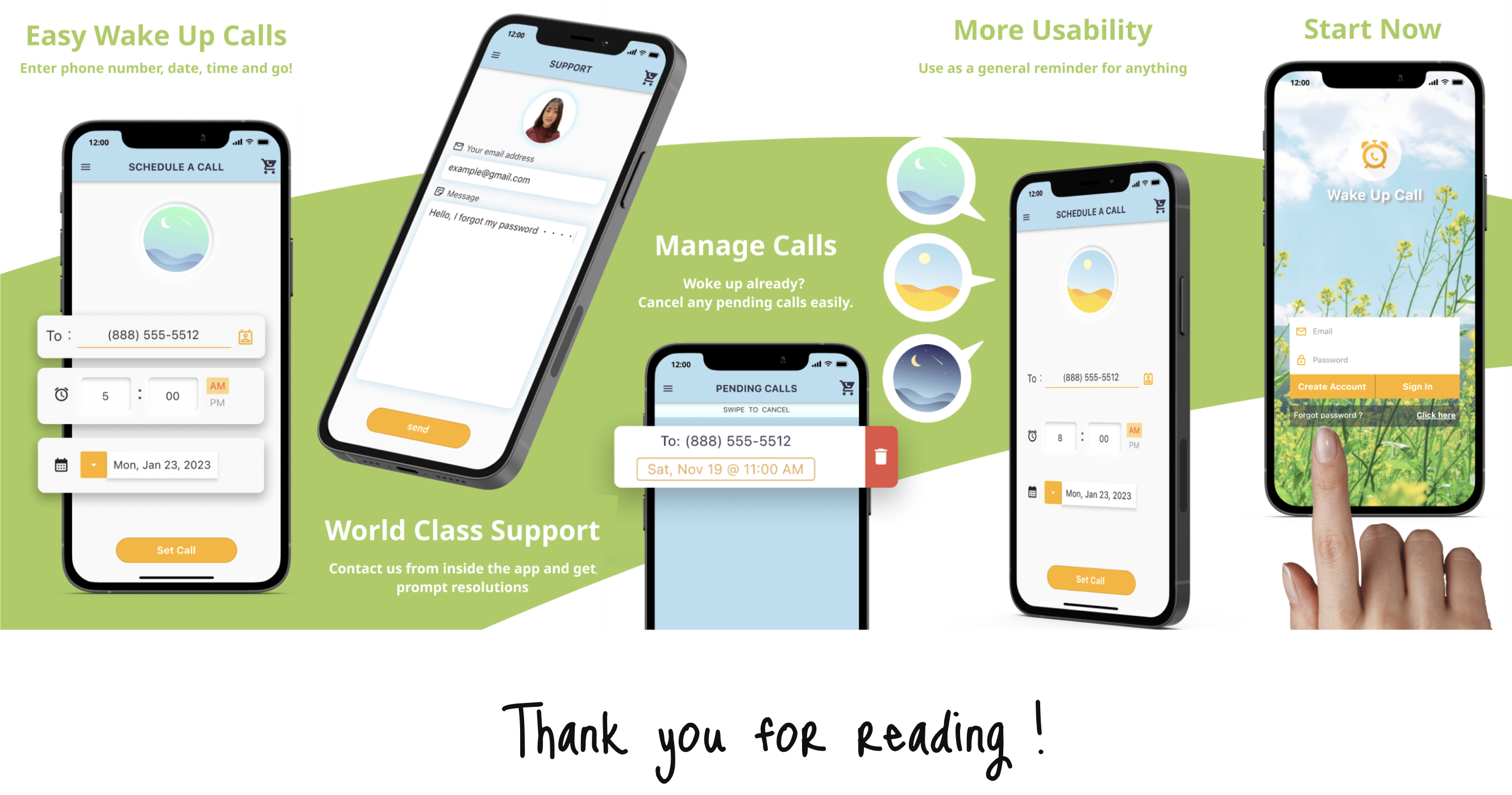
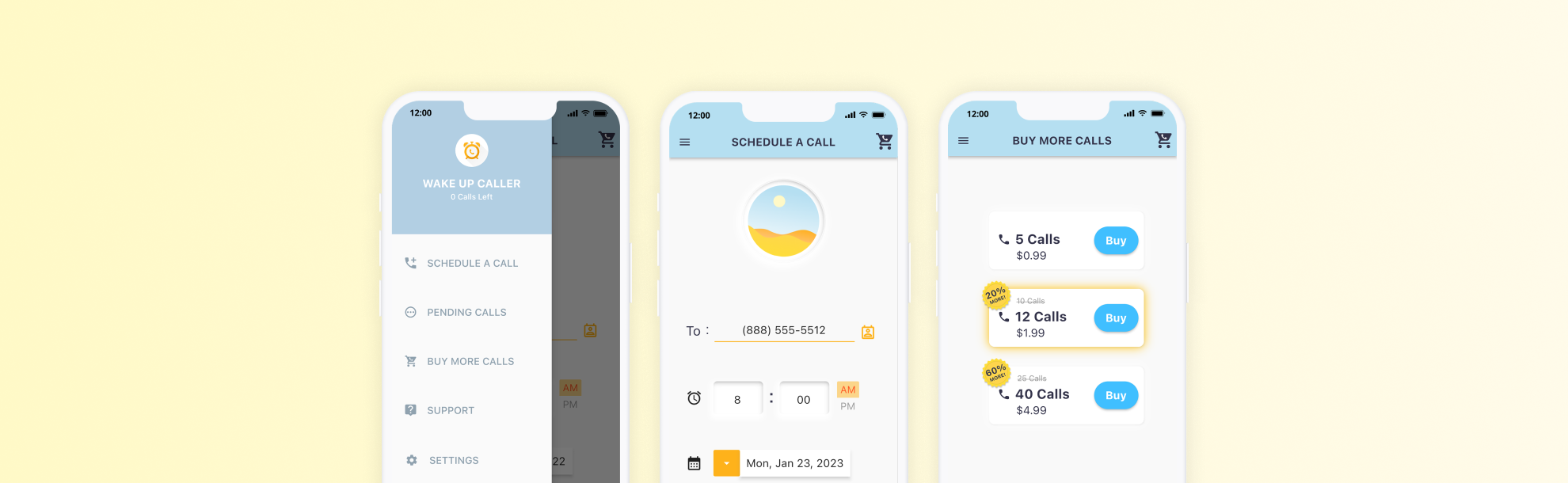
This app lets you set up a wake-up call just like at a hotel. You can schedule it to call any phone number at any time you choose.
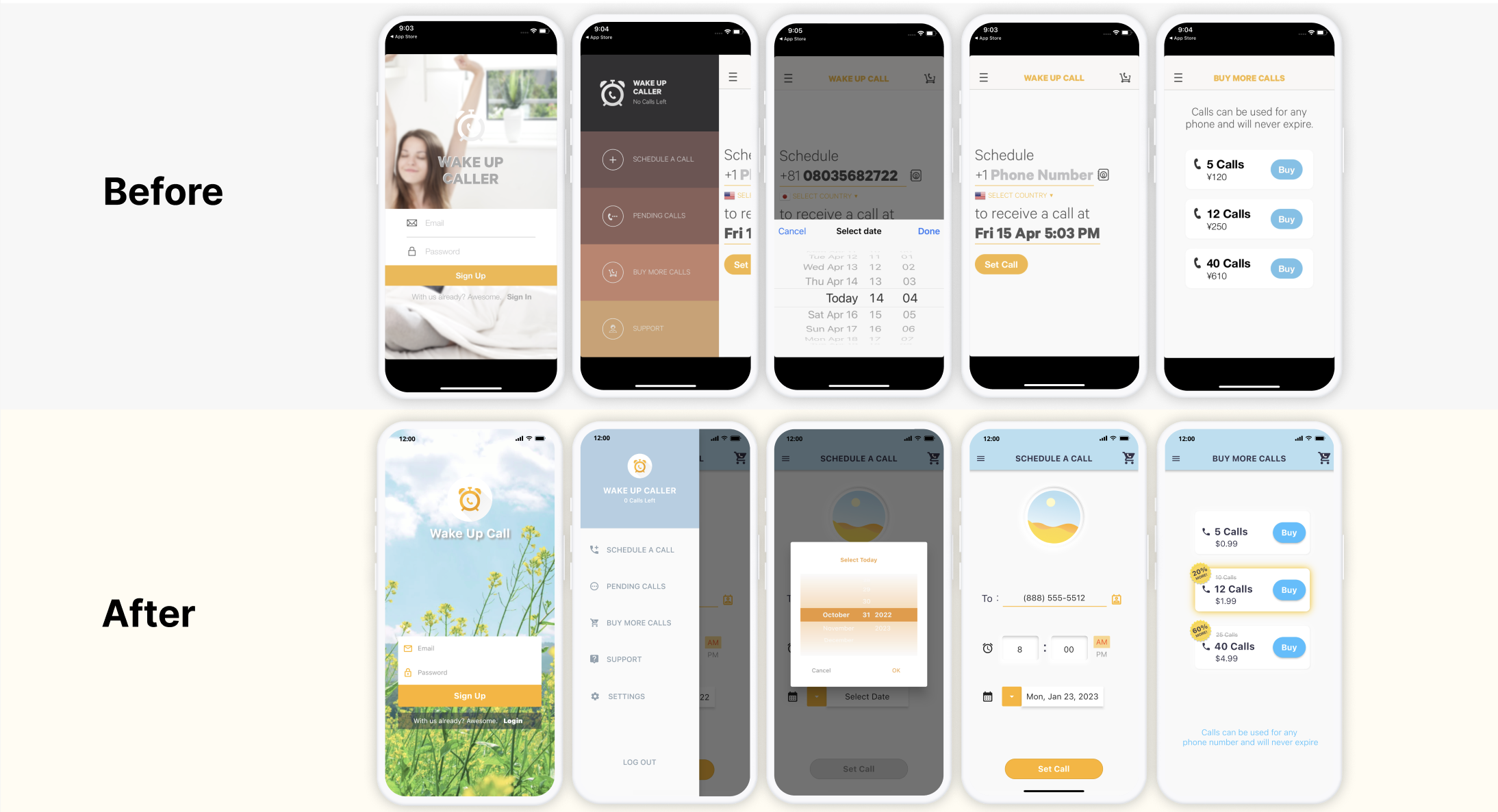
- As an internship, I was responsible for redesigning this existing mobile app (iOS/Android).
- The app had not been updated for about four years since its initial release.
I aimed to create a more user-friendly interface for existing users while also attracting new users.
Role
- UI/UX designer
- Frontend development
Team
- Me + 2 members
- CTO: Business & Backend development
- Customer support
UI improvements
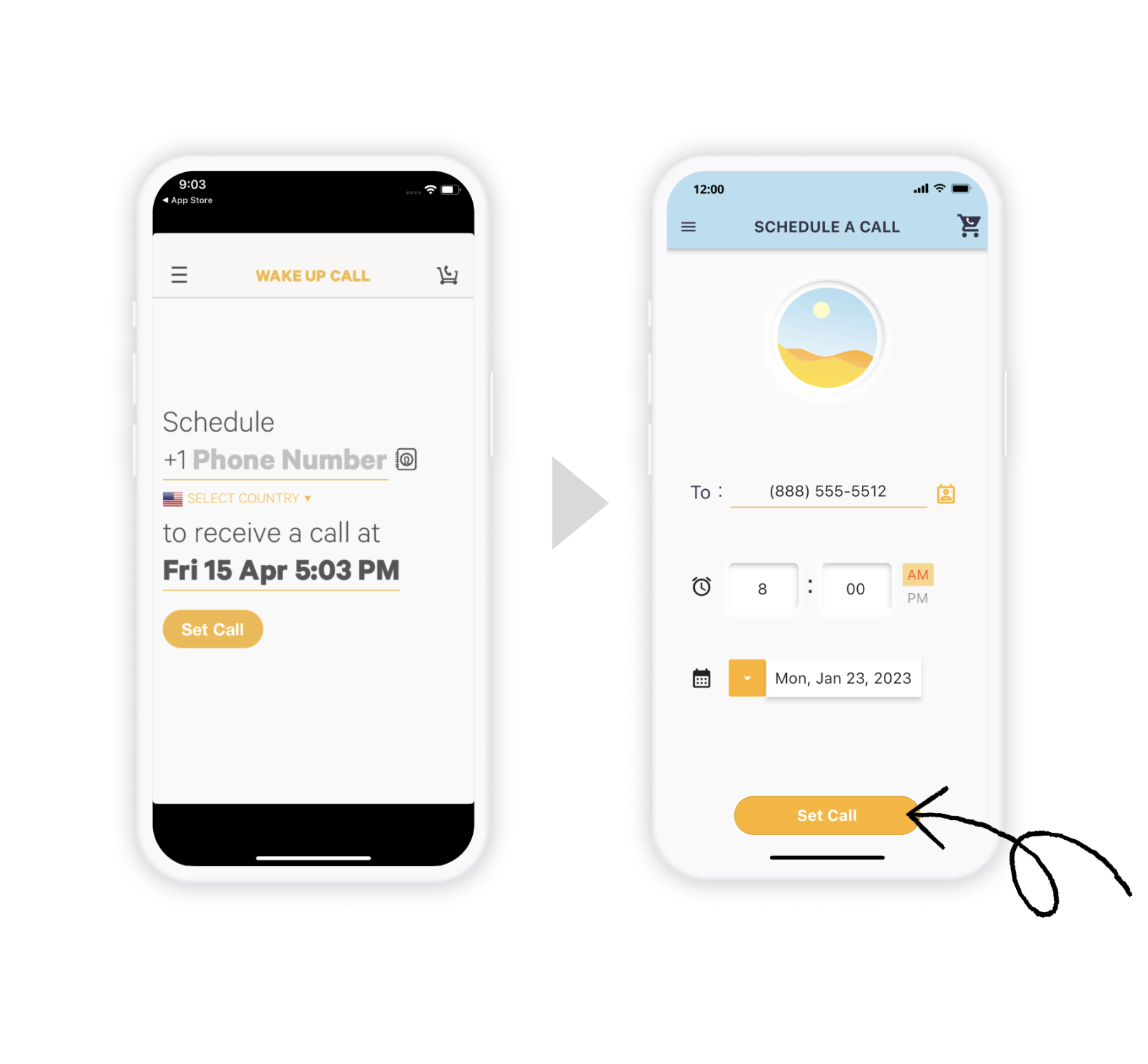
■ Put CTA's in the center
- Generally, mobile users tend to be goal-oriented. Placing the wider CTA button front and center helps them complete tasks more easily.
- Most of the existing users are in their 40s to 50s and are not digital natives.
Since I changed the position of the CTA button, I kept the orange color so that existing users can still find it easily.
UX improvements
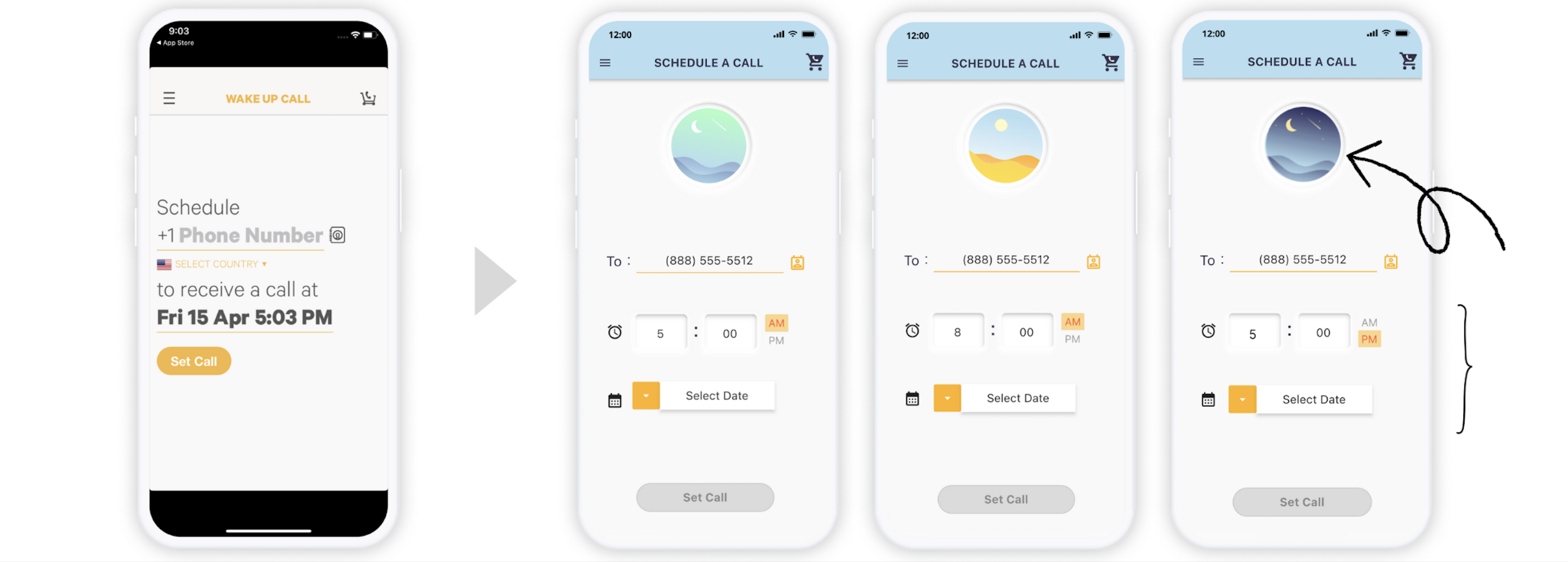
■ Add illustrations to reduce human error
-
A common human error here is confusing AM and PM, which can be stressful.
-
By showing whether it’s morning, daytime, or night through illustrations in addition to the AM/PM notation, users can easily double-check the time—reducing both stress and mistakes.
-
Helping users avoid operational errors increases their trust in the app. That’s a highly beneficial outcome.
-
Furthermore, users not only complete tasks but also enjoy a slightly playful experience. Incorporating moments of delight that don’t interfere with task completion is a very important part of app design.
■ Separate Time & Date
-
We found that many users set multiple alarms on the same day, or set alarms for the same time across different days.
-
To support this, we’ve designed the app to retain the previously set time and date. By separating the two variables, we reduce the effort required to check whether the correct date and time have been set.
-
Helping users avoid operational errors increases their trust in the app. That’s a highly beneficial outcome.
-
A recurring alarm feature would be a good next step.
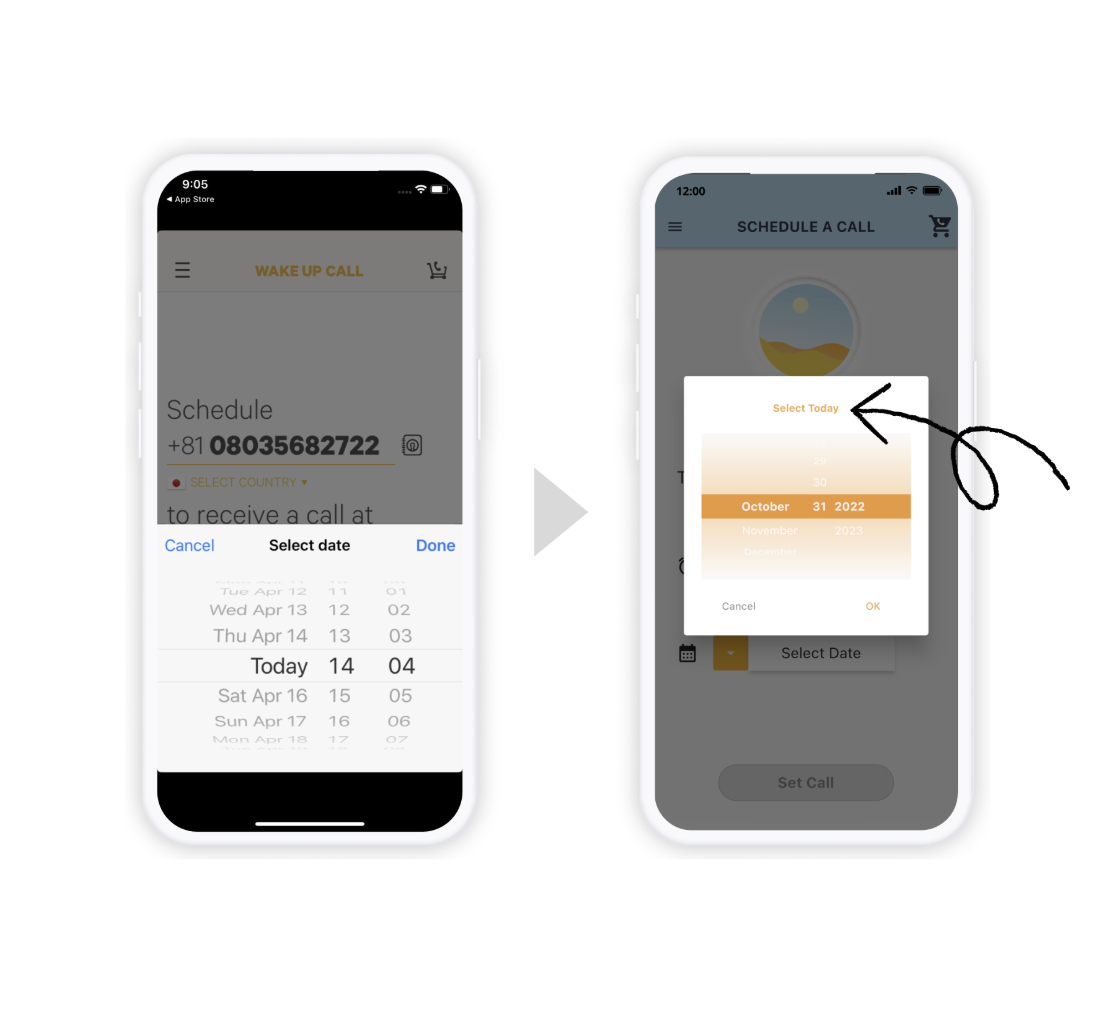
■ Add a "Select Today" to deal with human error
-
Sometimes users may accidentally tap the wrong area and end up scrolling to a date far in the future or past.
Considering our user base, this kind of mistake is quite likely.
-
To address that, I added a "Select Today" button.
-
Adding a regurary setting function and increasing the font size would be the next steps.
Considering our user base, this kind of mistake is quite likely.
Next steps
■ There are still many improvements to be made
- Change color of date time picker (currently it is low contrast)
- Make fonts bigger for better readability & usability
- and so on..!
Feature graphic